Documentation
Email Campaigns
Email campaigns remain the cornerstone of digital marketing. AlgorithmX provides a highly scalable infrastructure to design, personalize, and distribute emails to thousands of customers seamlessly.
1. Prerequisites
To ensure maximum deliverability and compliance:
- Domain Verification: Ensure your sending domain (e.g.,
algorithmx.cloud) is fully authenticated via DNS (SPF, DKIM, and DMARC). - Verified Senders: You must add and verify specific sender addresses (e.g.,
[email protected]). - Clean Audience Data: Ensure your target Segments have valid, active email addresses to prevent high bounce rates.
2. Step-by-Step Guide
The campaign builder is divided into 4 focused stages. Click + New Email Campaign from the top right to begin.
Step 1: Email Information
Configure the core identity of the campaign.
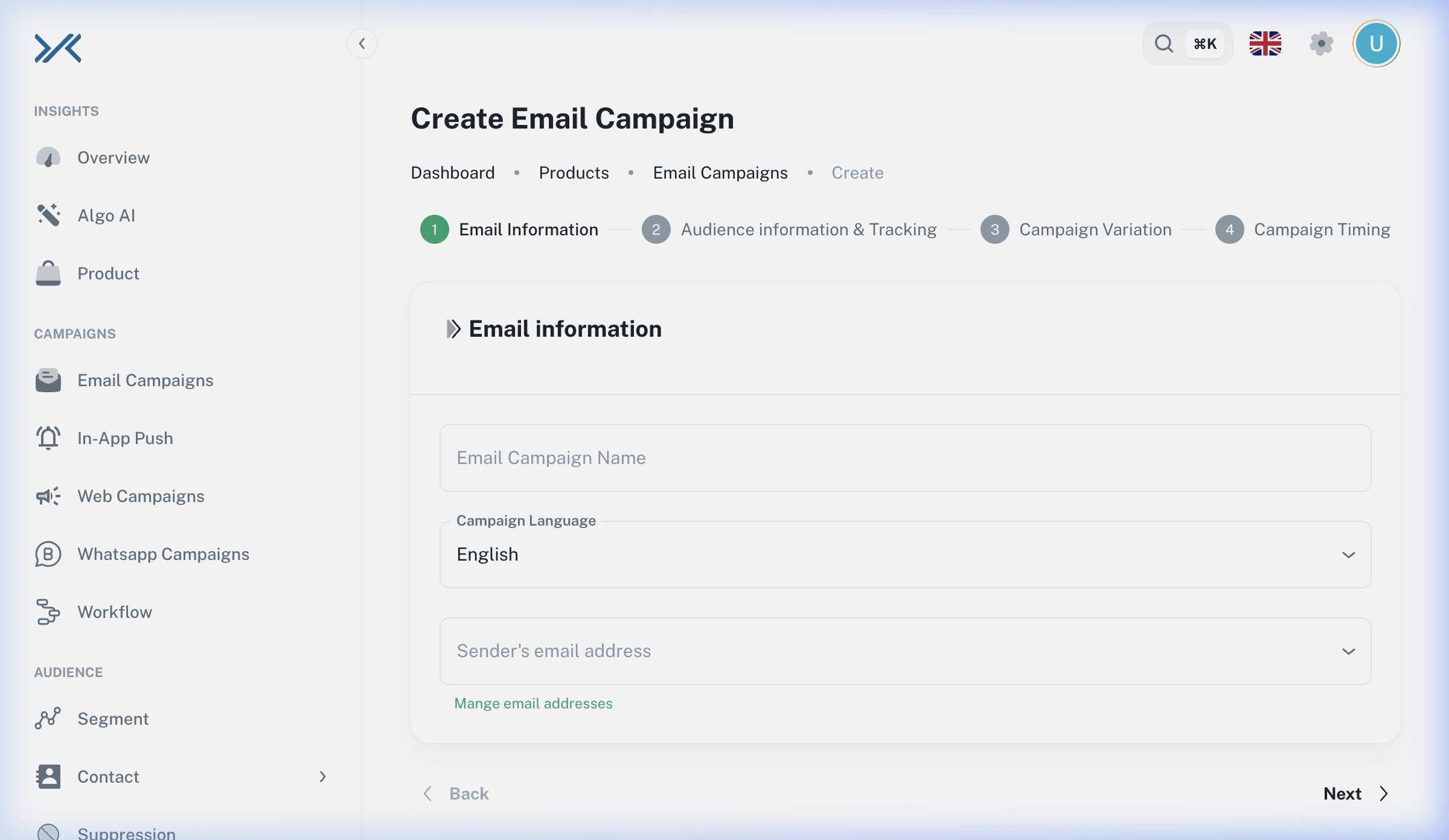
- Set the Email Campaign Name for internal tracking.
- Select the Campaign Language.
- Choose the Sender's Email Address from your verified list.
Step 2: Audience Information & Tracking
Determine exactly who will receive this email.
- Select one or more Sent To Lists (e.g., "VIP Customers").
- (Optional) Apply Suppression Lists to exclude specific users.
Step 3: Campaign Variation & Design
AlgorithmX provides flexible tools to design your emails and natively supports A/B testing to optimize your messaging.
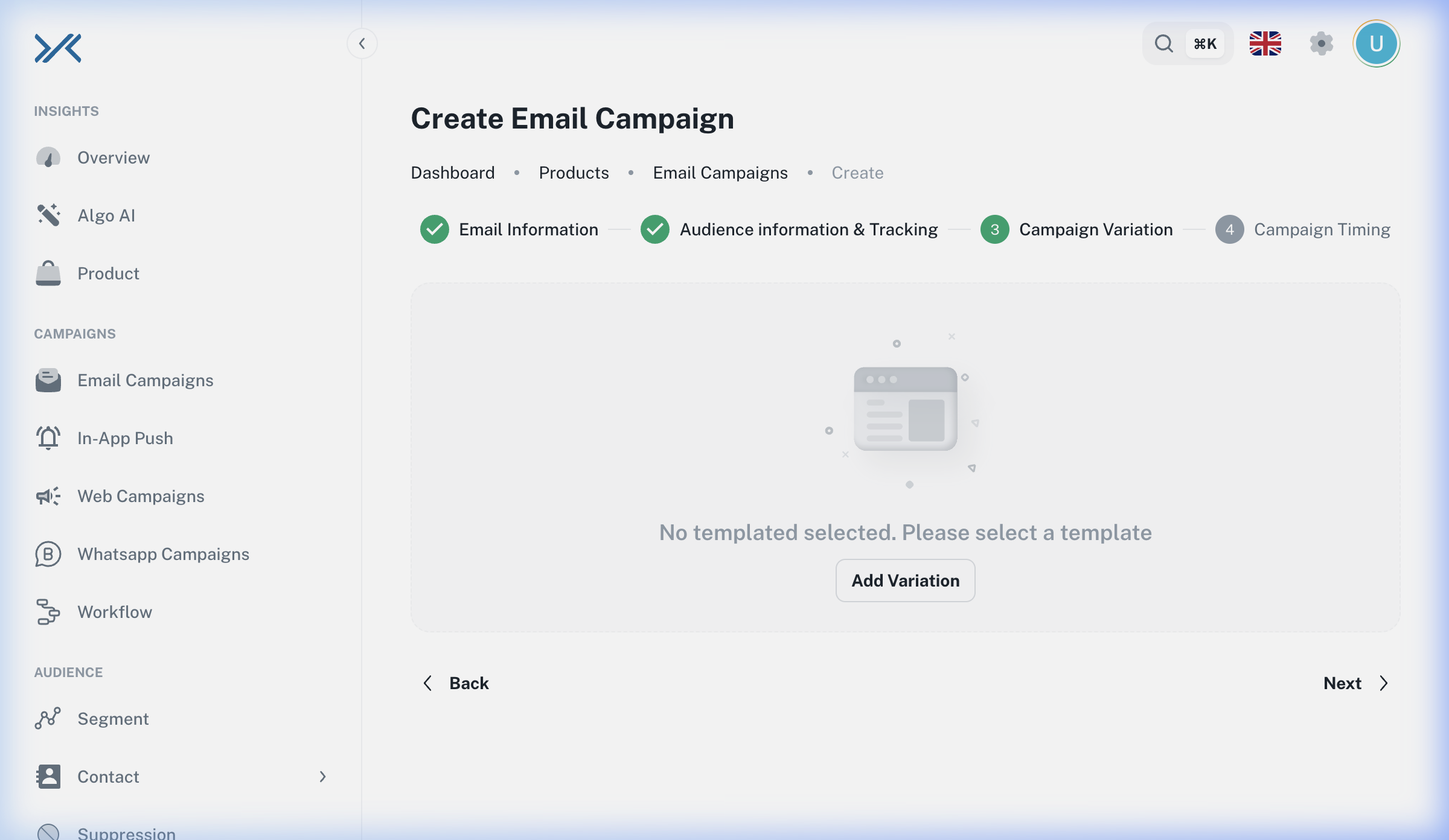
- Click Add Variation.
- Choose your Editor:
- Design Editor: A visual, drag-and-drop builder perfect for marketing teams without coding knowledge.
- HTML Editor: A feature-rich HTML editor with a live visual preview for complete, pixel-perfect control over the design.
- Configure the variation details (Name, Subject, Preheader).
- Tip: Add a second variation to test a different subject line or layout with 50% of the audience. (Learn more in A/B Testing).
Step 4: Campaign Timing
Finalize when the emails leave the server.
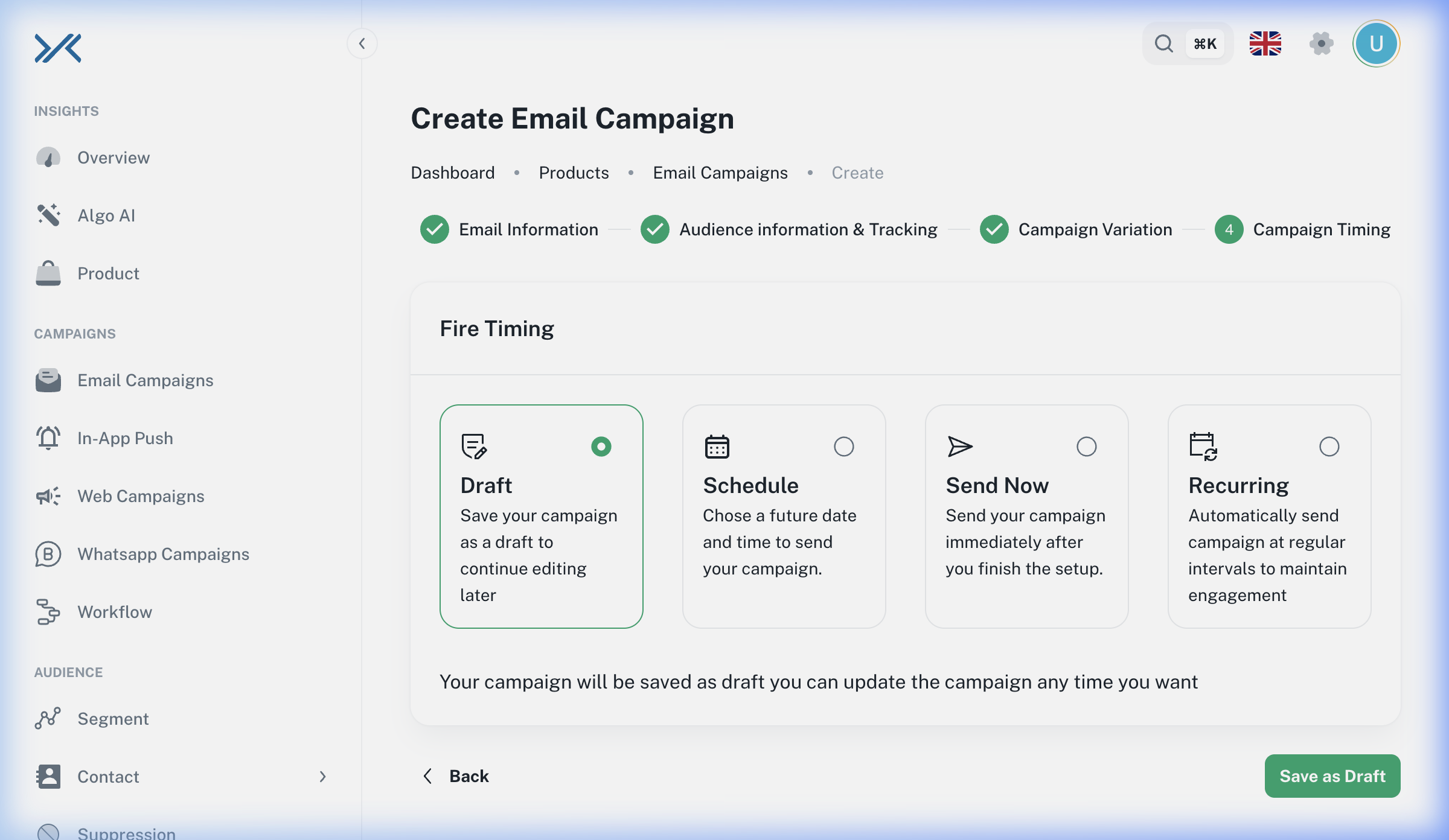
- Choose Send Now to dispatch immediately.
- Choose Schedule for Later to specify an exact date and time.
- Click Publish Now.
3. Configuration Reference
| Field Name | Type | Description / Best Practice |
| :--- | :--- | :--- |
| Email Campaign Name | Text | Internal identifier. Keep it descriptive (e.g., Newsletter_July2026). |
| Sender's Email Address | Dropdown | Must be a verified email domain to prevent landing in spam folders. |
| Sent To List | Dropdown | Target specific static groups. |
| Suppression Lists | Dropdown | Excludes users. Best Practice: Always suppress users who have unsubscribed recently. |
| Email Subject | Text | The main headline. Keep it under 50 characters for mobile optimization. |
| Email Preheader | Text | Preview text. Use this to complement the subject line. |
4. Best Practices & Troubleshooting
Best Practices
- A/B Test Everything: Don't guess what your audience wants. Use Step 3 to test two subject lines or two different templates to see which yields a higher open rate.
- Mobile First: Ensure your templates are responsive. Over 60% of emails are opened on mobile devices.
Troubleshooting
[!WARNING] Emails Landing in Spam? If your emails are consistently marked as spam, check your Domain Verification status in settings. Without properly configured DKIM and DMARC records, major providers (Gmail, Outlook) will filter your messages.